Showing posts with label Grade5. Show all posts

Friday, March 15, 2013

Voices on a Wall

This is a post that has also been posted on a3lc.blogspot.ca and also follows-up on this post QR - Quick-Response

I have been working with a couple of different classes to experiment with using QR codes to share ideas and work that we have created. 

Text to QR Code
The first class we played with QR codes to share 'secret messages'. As part of the heath curriculum, we want to talk about our qualities and inefficiencies, our dreams and our aspirations.

  1. First we used Microsoft Word and Apple Pages to type up some text.
  2. Next we copied the text and pasted it www.QRStuff.com we copied the text.
  3. QRStuff generates a QR code and then we download.
  4. The QR code, in the form of an image, can then be pasted into another document and printed.
  5. These particular QR codes could either have the text embedded right in the code (which would mean the mobile device would not even require an Internet connection) or the user could choose to have the text uploaded to a QR Stuff Server (this would require Internet but also teacher discretion to ensure no personal data would be included). The only real difference would be in the visual appearance of the QR code itself.

Audio Recording to QR Code
After we learned and understood how QR codes worked and saw how visually appealing he wall display was. We thought it would be cool to make different kind of gallery on a bulletin board - We would attempt to put student voices on the wall. With parent interviews coming up, it would be a great way to showcase some great work produced by our students. This project would require writing and recording voice using 1 of 2 apps on the iPad.
  1. Students first needed to produce some writing. The teacher used some health related writing around 'bullying' and 'it's OK to be me'.
  2. Using an iPad, students recorded their voice using either GarageBand for iPad or Voice Recorder for iPad.
  3. We then co-created success criteria and a rubric for students to make quality recordings.
  4. Students published their audio recording and then shared it with the teacher.
  5. The teacher then uploaded the audio file to our web site server (CBE Project server) - the file would need to be accessible online by a URL.
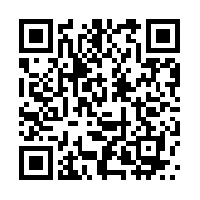
  6. Once uploaded, the teacher generated the QR Code (with www.qrstuff.com) and saved back to a shared folder on the school server. 
  7. Finally Students created posters to share their work.

Below are a couple of examples of our Voice Gallery QR codes


Saturday, March 9, 2013

Animated Air

Animation is so much fun and so engaging!

We have recently finished an animation project using StopMotion Studio and DoInk Animation and Drawing for iPad. Our students (99% of them) really enjoyed this engaging way to present what they have learned and also strengthen some new knowledge.

The following videos are some of the examples of some experiments they did in class to show the different properties of air. The following videos are examples of what they made. There are more examples to come and also more on the assessment piece that we tied into this learning.


Wednesday, January 16, 2013

DoInk Animation

What: DoInk Animation and Drawing App for iPad
Who: Grade 5 & 6
What: Experimental Play - Learning the App


One of our Grade 5 & 6 Classes is learning to animate using a couple of different kinds of applications. The first App we learned to use is DoInk Animation and Drawing. The class were assigned an iPad each and experimented by playing with it for a a total of three sessions (approx. 2hrs in total). We're really amazed how well our students picked this up and what they achieved in such a short time.


Here are some examples of what they produced:


Where Next?

The next project is to learn how to animate using Keynote. We will play with that for a few days and see what we can make with a different kind of affect.

The last animation App we will experiment with is Stop Motion Studio Pro HD for iPad. The students will manipulate 'real' objects and animate them into short videos.

After the experimental phase we will have a project to animate a property/principle of air to show an understand 'what makes air work'.

I can't wait to share the final results.

Tuesday, January 15, 2013

Aurasma - Making Images Move

When I first saw Aurasma, I couldn't believe what I saw. Still pictures coming to life and turning into video right on the wall? Impossible!


After watching and reading the Calgary Science School post by Dan McWilliam, I was in awe! I wanted to do it with some students. To tell the truth, I've been struggling find the right place to try it. What I did think about was how we could showcase this app to our students and parents as well as introduce it to our teachers. 

Our students were about to go swimming and at our school, a lot of our students do not have many opportunities to swim. What better way to show this app than to show parents their child[ren] swimming at the pool.

It turned out to be a simple exercise. Using their classroom iPad, teachers got video of each of their students swimming at the pool. Then we took still pictures of each student to use as a trigger image. Once all video and photos were taken and using the app Aurasma, we linked each video to the corresponding photo of the same student. 

The videos were then showcased at parent/teacher interviews. The students took the class iPad and showed their parents their picture on be wall. Once the image on the wall was recognized but the Aurasma app, it magically turned into a video on the student swimming at the pool - awesome! 

Here's what our kindergarten teacher came up with:


Students were so proud when showing their swimming video to the parents. What a great way to show parents something their child does in school, and in this case out of the school building.


What's next with Aurasma? After seeing it's capability, one of our grade 5/6 teachers thought a AR scavenger hunt would be an engaging way to using Aurasma with students. They are in the process of  making it now. Look out for a blog post soon...

Friday, May 18, 2012

Gr5 - Student Vote - Animated Title


iPad App:

StopMotion Studio


Student Goal: 

To make an animated tile for a student made video

Learning Task:

Our Grade 5’s made a video about Student Vote 2012. They decided to make an Animated title using Stop Motion Studio HD

Stop Motion Studio is a user friendly app that enables students to make animated videos. iPads can be set up for one user or a group of users to create the animation. SOme of the features are as follows:
  • Camera can be set to a timer or used manually
  • The timing of each photo can be adjust to speed up or slow down the entire animation.
  • Music can be added
  • Voice over can be added
  • Video effects can be added


This app has JUST been updated (June 2012) and it is now even easier to use.