Showing posts with label learning. Show all posts

Friday, February 22, 2013

QR = Quick Response

QR Codes are everywhere now. On Buses, real estate signs, in brochures, on cereal boxes, anywhere a company can possibly advertise, you'll find them.

As most probably know, by scanning a QR code, you can be linked to a variety of resources. QRstuff.com  has the following options for creating QRs (see image).

In our school, we have begun to explore the possibilities of using QR Codes to help us share what we know, or what we have learned.

I personally have used QR codes in our school building to promote and share.

Promotion:

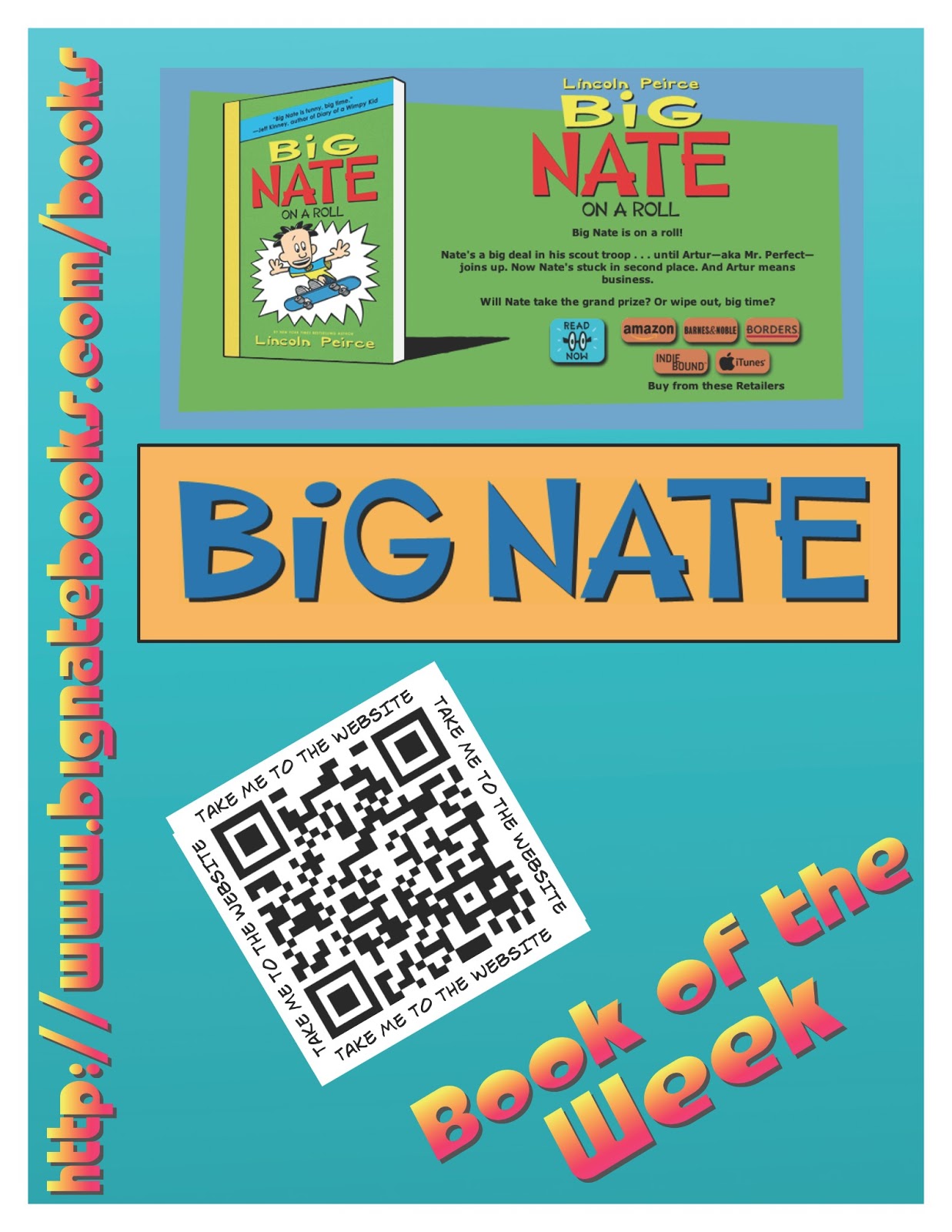
In our learning commons, we promote books that we think our students might like.  Through a Google form, we ask students to share their favourite book and from those results, we choose our book of the week. A poster is then created to share the book. We will often have a link to a website about the book, or author or other multimedia that our students might find interesting. See the images below for our posters.

Sharing:

We recently made a display up in our school to share the innovative ways we use technology to help us learn. On the display, we have put a number of QR codes that link to blog posts about particular Apps or projects we have done.


In a grade 4 and 6 class we have recently started looking at how QR codes could be used in our learning. We have begun by creating QR codes to share an idea or thought. What we discovered was that the QR codes actually inspired kids to read what other people had written.


The next project these classes will do will be as follows:

Grade 4 - 'Book Review'

We will work on choosing a our favourite books and then make a video using iMovie based on hand drawn pictures, cover shots, and video interviews. Students will then share their video with me and in turn I will upload it to our CBE project server. Once uploaded we will access URL and then create the QR code t share. This will link book reviews directly with the book on the shelf. Users will need to be connected to the Internet in order to activate the video online.

Grade 6 - Audio Gallery

In this class we will be recording audio (either short stories, or poetry of some kind). Once Audio files are created using either GarageBand for iPad or Voice Recorder for iPad.
We will upload our voice recordings to the project server as in the prior project. Once there, we will create the QR code and then make a Audio Gallery on a bulletin with in the school. This will be a great way to share our work with parents at upcoming parent/teacher conferences.

I will update the photos of display and links to QR when we are further along in the project.


Wednesday, November 21, 2012

Smart App, Smart Math

Grade: 6
App: Smart Notebook
Student Learning Goal: Students will use technology solve a 'multiple entry point' math problem.


Learning Pathway:
Smart Technologies recently released a new iPad app with a slim version of their popular Notebook application. The students at our school LOVE working in Notebook so we downloaded it as soon as heard about it.

After hearing about it one of our grade 6 teachers wanted to try them out. This was her first attempt at using the new App. Usually, This problem would be created and writing (or printing) numbers on paper then cutting them out into strips.

Here's what it looked like...


Comparing their work with others allowed some students to feel comfortable and confident with their own ideas.


Students were able to share their strategies and ideas with their peers.

The Notebook App allowed student to manipulate number strips with ease, rather than making the numbers  from paper strips.


Friday, June 1, 2012

Student Success - Making Learning Accessible

Student Goal:

Record ideas about a model that he/she has designed and built.

iPad App:

Comic Life

Learning Task:

One day while subbing in one of our classes. I noticed one of our complex learners was not focused on what we were doing as a while group. She was building a castle out of geometrical shapes. She was totally focused and and engaged in her little mini project.When a school assistant came in to help we gave the student an iPad and invited her to make a comic page about her creation. In about 25-30 minutes she was able to produce an amazing piece of work without too much hassle at all.This usually doesn’t particular student doesn’t enjoy writing but in this case was certainly enthusiastic about making this Comic Life poster. With a little help with the spelling, she was successful in some written reflection. 

AWESOME!


Monday, May 28, 2012

Gr1-2 Science - Eco Columns

Student Learning Goal:

To learn about the differences of living and nonliving things and how they affect each other.

App:

Skitch for iPad

Learning Task:


Through this inquiry, students explored living and non living things they could find around our school. They took photos of them using the iPads to show what they discovered.


Through the scientific process, the students explored how living and nonliving things affect each other by designing and making an eco-column. Each eco column had three layers in which each contribute to each other to make an mini ecosystem. 

Students observed their eco-columns daily and monitored their progress and time progressed.
The iPads were also used to monitor and document the progress. 
Skitch App by Evernote
The used an App called Skitch to annotate pictures they took using the iPad which was very easy to learn to use and gave an effective finishing product.


Wednesday, May 23, 2012

Gr6 - City Planning - Integrated Project

iPad App: 

ShowMe - Screen Recording Whiteboard


Student Inquiry Question:

You are given a piece of land for sustainable and responsible development.  How can we organize this area while meeting the diverse needs of plants, animals and humans?

Learning Task:

In this project students were inquiring into the above question. They used an iPad App called ShowMe to plan and present their responsible land use plan. ShowMe allowed students to use a whiteboard style application to annotate over a picture (the land in question) and also record their voices. The group could record and re-record to ensure their plan was suitable. This allowed students to practice and reflect on their group decisions.

Plans were presented by connecting iPad to the Smartboard via a iPad VGA adaptor cable.


Monday, May 21, 2012

Gr6 FSL - Occupations - Green Screen Video

Student Learning Goal: 

To use French oral language to describe the different occupations found in our local community.

Learning Task:

This project allowed students to take the role of an occupation they related to using the French language. We used the iPads to record video using the green screen and then edited the video using iMovie on our student iMacs.

The Camera App must be one of the most powerful applications of the iPad.

Filming using the Green Screen

Tuesday, May 1, 2012

Gr3 - Social - Goods & Services


Technology:

Green Screen
iPad Video App

Student Goal: 

Describe the importance of the goods that come from certain countries around our world. Also, to make a connection between those goods and the natural resources from that land.

Learning Task:

Student explored the goods that come from the four different countries of focus in the grade 3 Social Studies Curriculum (Peru, Tunisia, India and Ukraine). They then found suitable back ground pictures to use for their green screen video.


Gr3 - Measurement - Video


iPod App:

Camera App

Student Learning Goal: 

To find out what we know about measurement.

Learning Task:

Through a process of investigation, students were asked to measure a variety of objects using a unit of measurement of their choice. They were also required to video their measuring techniques as well as input the data into a shared Google document.

The process gave both teachers and students a great amount of information. It showed the misconceptions that students had about measuring things. It also showed us what they could do well. After looking at videos, we discussed what was done well in each video and what was tricky about measuring.

Where we want to go next: After seeing the holes in knowledge about measurement, we could do some purposeful and targeted teaching around those misunderstandings. We also thought it could be a great idea to go through this process again to make ‘expert’ videos (the kind of video you might find on a Home Depot ‘how to’ website) on how to measure using standard forms of measurement.