Showing posts with label audio. Show all posts

Wednesday, February 19, 2014

Can You Hear Our Learning?

Thanks to guest authors Heather McKay and Jaime Hatchette for this post...

The Curious Journey of 2 Teachers in K: Can you hear our learning?

In Kindergarten our students are fast becoming experts at explaining their thinking. As teachers, we see evidence of their critical thinking in their play, their conversations, and their written work.  We attempt to scribe student thoughts as much as possible in order to leave a visible trace of their learning. 

On one such day we were having trouble keepingup with the flow of ideas; we decided to try the app Audioboo as a tool for making our thinking visible in Kindergarten.


The Audioboo app allows you to capture an image and attach up to 3 minutes of audio. It is a web-based app allowing users to create their own podcast collections.  We access our Audioboo account from our class iPads. We do not attach student names to any podcasts, but instead have taught our Kindergarten students to use their initials as a form of hashtag, when sharing their learning via social media.  Audio files can be sorted and stored in folders you create.  Each Audioboo post can be individually sharedthrough Twitter, email, or embedded within a blog.  Our students ask to tweet Audioboo posts as one way to share their learning with their families. Parents can also subscribed to a RSS feed.  

We are just beginning to explore how Audioboo will support our work within IRIS and are excited about the possibilities!  Because IRIS allows users to insert a URL as an artifact, we predict this will be one way to empower our youngest learners to capture their own thinking using iPads as a learning tool.

How have we used Audioboo in Kindergarten ?

We researched Penguins using the online database PebbleGo.  Afterwards we asked students to share what they learned by drawing a picture.  Students explained their picture and learning by responding to our prompt “Tell the story of your picture” using Audioboo. Here is one example:  What did you learn about Penguins?
https://audioboo.fm/users/2181083/boos

Each day during centres two boys continue to look closely at one particular book.  We asked them to share their reflections about this particular book to learn more about why they are drawn to it and to uncover what they were learning. We asked them to look closely and share what they noticed: 
https://audioboo.fm/boos/1887063-looking-closely-at-bees

Many students choose to create and build different structures during our daily centre block. It is challenging to capture this process, as photos show only part of the story.Audioboo provides a simple and easy way for students to record their reflections and allows us as teachers to uncover many learning outcomes.  Listen to the mathematical vocabulary being used in the following clip:

How do you make the learning visible in your classroom?  We would love to hear from you and build our Visible Thinking toolkits together!

Heather McKay (@HeatherMMckay) / Jaime Hatchette @JaimeHatchette


Thursday, May 2, 2013

Kindergarten Audio Reflections

The power of the voice!

I have been really enjoying creating projects with our iPads that involve recording voice. In the last two weeks, I have been working with our Kindergarten students to record their ideas about being a bucket filler.

In their classroom, the Kindergarten students have been reading the book; "Have you filled a bucket today?" by Carol McCloud. They have discussed what it means to fill someones bucket on a regular basis in their classroom.


As a follow up task, and to share their ideas with others, we decided to capture their thoughts about bucket filling using their classroom iPad. During centre time, I worked with small groups and 1-on-1 with students to show them how to record themselves using a voice recorder app


Once the voice was recorded, the students listened back to see if they were happy with what they had said. If they were, we tried to record more ideas. If they weren't happy, we started again. In this particular project we didn't create any success criteria for voice recording but will definitely look at creating a rubric with them the next time we do this, especially now they have some experience at doing it.


To get the recording off the iPad we exported to the iPad camera roll. It saves as a Quicktime file and can then be downloaded to the Camera Roll. As I manage the iPads, I downloaded each student's files as they were finished, and added them to a album in my iPhoto App. I also shared them with the teacher through a share point in our Community Folder on our school server.


We are still figuring out what we do with the audio now. We're thinking of putting into a video for an assembly next month. Any other ideas out there?


Friday, March 15, 2013

Voices on a Wall

This is a post that has also been posted on a3lc.blogspot.ca and also follows-up on this post QR - Quick-Response

I have been working with a couple of different classes to experiment with using QR codes to share ideas and work that we have created. 

Text to QR Code
The first class we played with QR codes to share 'secret messages'. As part of the heath curriculum, we want to talk about our qualities and inefficiencies, our dreams and our aspirations.

  1. First we used Microsoft Word and Apple Pages to type up some text.
  2. Next we copied the text and pasted it www.QRStuff.com we copied the text.
  3. QRStuff generates a QR code and then we download.
  4. The QR code, in the form of an image, can then be pasted into another document and printed.
  5. These particular QR codes could either have the text embedded right in the code (which would mean the mobile device would not even require an Internet connection) or the user could choose to have the text uploaded to a QR Stuff Server (this would require Internet but also teacher discretion to ensure no personal data would be included). The only real difference would be in the visual appearance of the QR code itself.

Audio Recording to QR Code
After we learned and understood how QR codes worked and saw how visually appealing he wall display was. We thought it would be cool to make different kind of gallery on a bulletin board - We would attempt to put student voices on the wall. With parent interviews coming up, it would be a great way to showcase some great work produced by our students. This project would require writing and recording voice using 1 of 2 apps on the iPad.
  1. Students first needed to produce some writing. The teacher used some health related writing around 'bullying' and 'it's OK to be me'.
  2. Using an iPad, students recorded their voice using either GarageBand for iPad or Voice Recorder for iPad.
  3. We then co-created success criteria and a rubric for students to make quality recordings.
  4. Students published their audio recording and then shared it with the teacher.
  5. The teacher then uploaded the audio file to our web site server (CBE Project server) - the file would need to be accessible online by a URL.
  6. Once uploaded, the teacher generated the QR Code (with www.qrstuff.com) and saved back to a shared folder on the school server. 
  7. Finally Students created posters to share their work.

Below are a couple of examples of our Voice Gallery QR codes


Friday, February 22, 2013

QR = Quick Response

QR Codes are everywhere now. On Buses, real estate signs, in brochures, on cereal boxes, anywhere a company can possibly advertise, you'll find them.

As most probably know, by scanning a QR code, you can be linked to a variety of resources. QRstuff.com  has the following options for creating QRs (see image).

In our school, we have begun to explore the possibilities of using QR Codes to help us share what we know, or what we have learned.

I personally have used QR codes in our school building to promote and share.

Promotion:

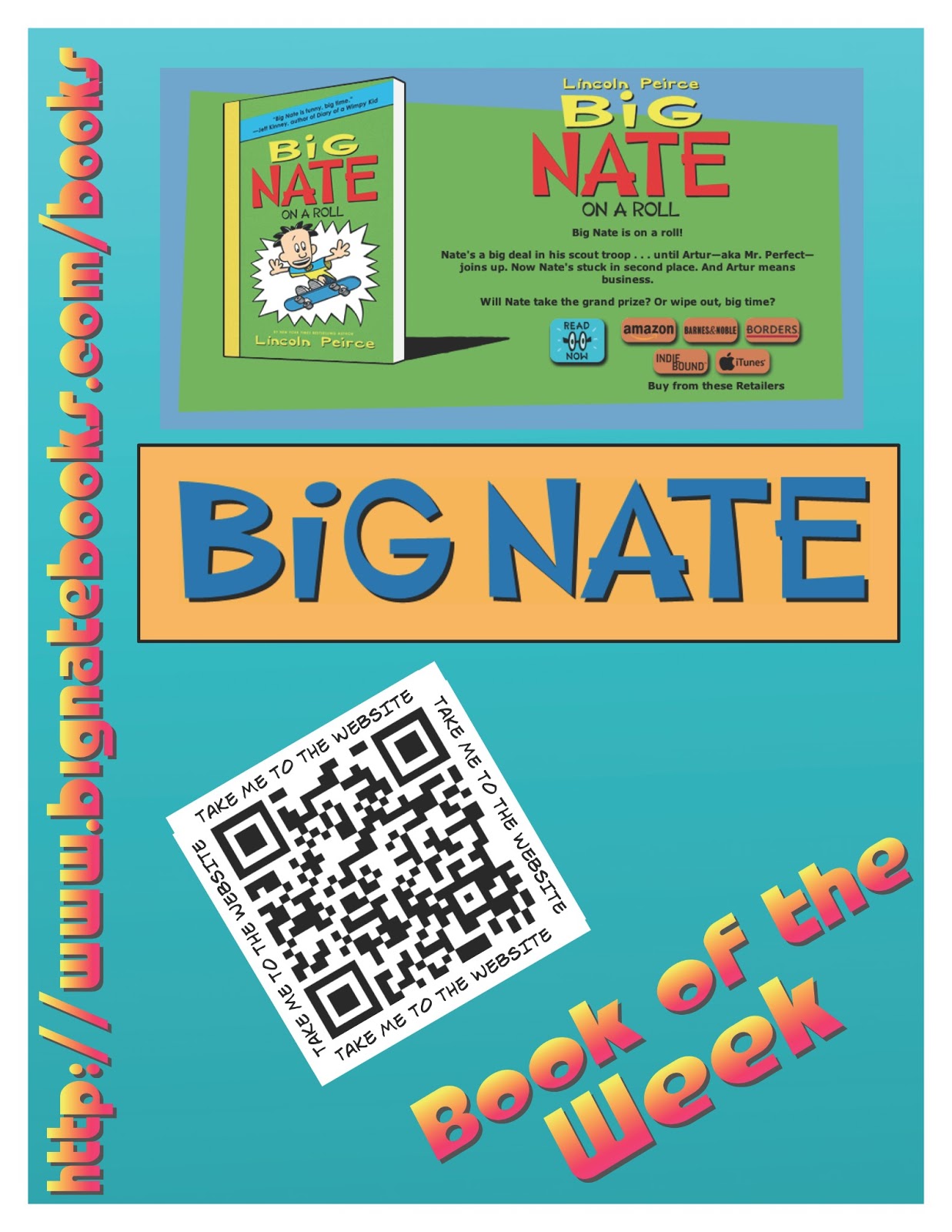
In our learning commons, we promote books that we think our students might like.  Through a Google form, we ask students to share their favourite book and from those results, we choose our book of the week. A poster is then created to share the book. We will often have a link to a website about the book, or author or other multimedia that our students might find interesting. See the images below for our posters.

Sharing:

We recently made a display up in our school to share the innovative ways we use technology to help us learn. On the display, we have put a number of QR codes that link to blog posts about particular Apps or projects we have done.


In a grade 4 and 6 class we have recently started looking at how QR codes could be used in our learning. We have begun by creating QR codes to share an idea or thought. What we discovered was that the QR codes actually inspired kids to read what other people had written.


The next project these classes will do will be as follows:

Grade 4 - 'Book Review'

We will work on choosing a our favourite books and then make a video using iMovie based on hand drawn pictures, cover shots, and video interviews. Students will then share their video with me and in turn I will upload it to our CBE project server. Once uploaded we will access URL and then create the QR code t share. This will link book reviews directly with the book on the shelf. Users will need to be connected to the Internet in order to activate the video online.

Grade 6 - Audio Gallery

In this class we will be recording audio (either short stories, or poetry of some kind). Once Audio files are created using either GarageBand for iPad or Voice Recorder for iPad.
We will upload our voice recordings to the project server as in the prior project. Once there, we will create the QR code and then make a Audio Gallery on a bulletin with in the school. This will be a great way to share our work with parents at upcoming parent/teacher conferences.

I will update the photos of display and links to QR when we are further along in the project.